
First initialization
After configuration, the red background of "Initialize users now" indicates that the existing users have not yet been recorded.
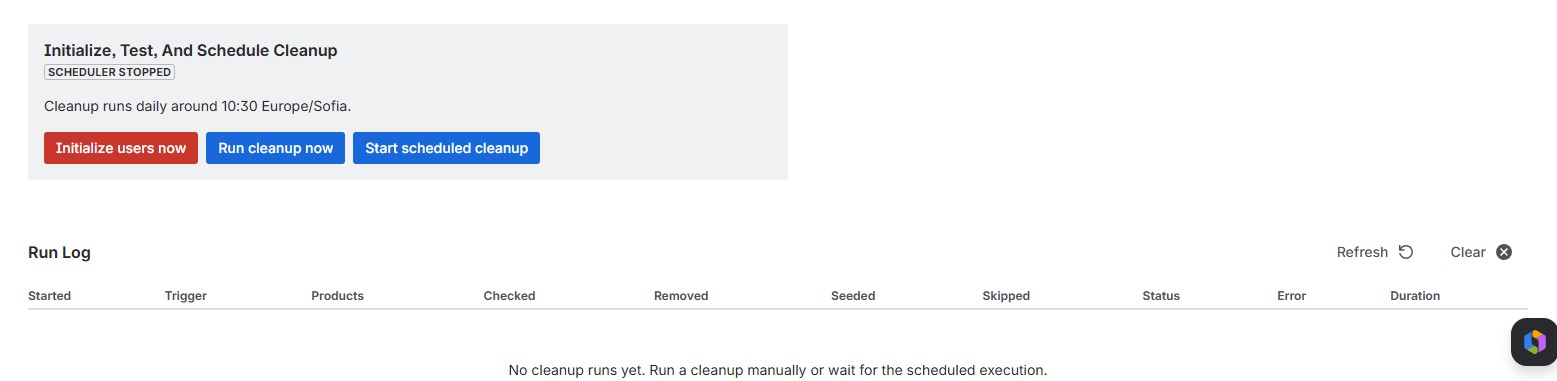
Clicking "Initialize users now" will directly initialized the user groups.
Otherwise, users will be initialized the first time the job is executed.
Each user is recorded with a timestamp upon initial running and counted under checked and seeded.
The results are shown at the run log.

If the user is actively working in Jira, Confluence, JSM, or JPD, the timestamp is adjusted accordingly.
If the time between the user's timestamp and the current job execution time is greater than the configured inactivity period, the user is removed from the respective Access group and counted as "removed."
If the difference is less than this, the user is counted as "skipped."