
-
IUM4Cloud-Jira can also be tested under the Standard Plan. Jira Service Management with Free Plan is also required.
-
Create an api token with the specified admin account (without scopes)

-
Create an api token for the organization (without scopes)

-
Create a new group withJira Service Management - customer product access (IUM Settings: Group Disable)
IUM does not allow more users in the IUM user group than the IUM license permits. In the free version, this is 5 test users.
Any excess users will be removed from the group!The existing normal user group should "not" be selected here.
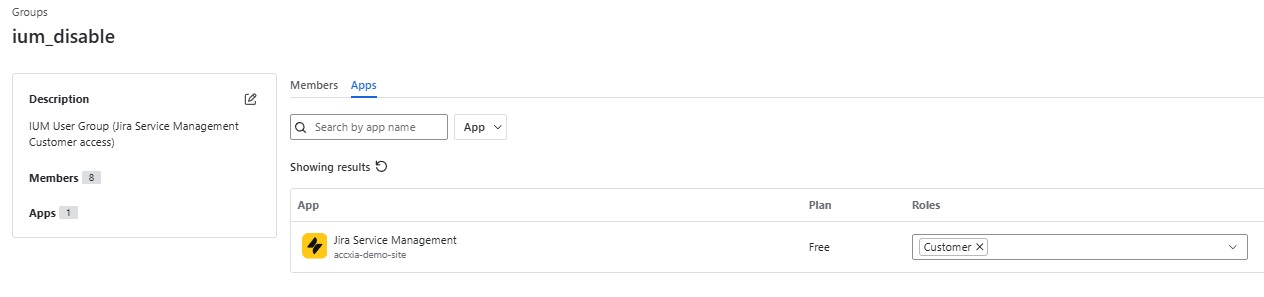
here: ium_disable -
Create a new group with Jira - user product access (IUM Settings: Group Enable)
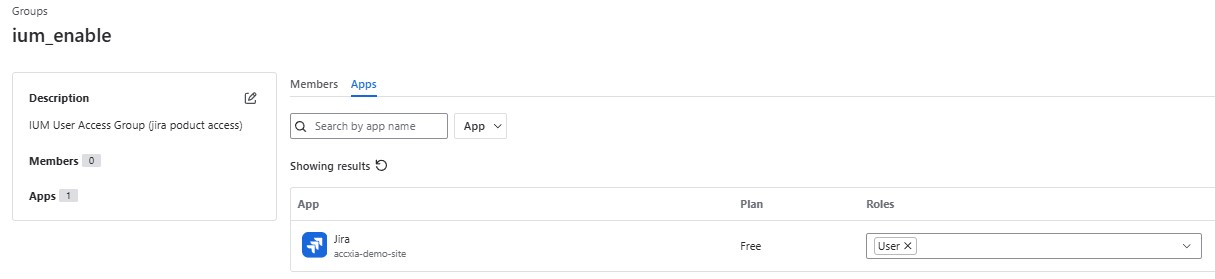
here: ium_enable
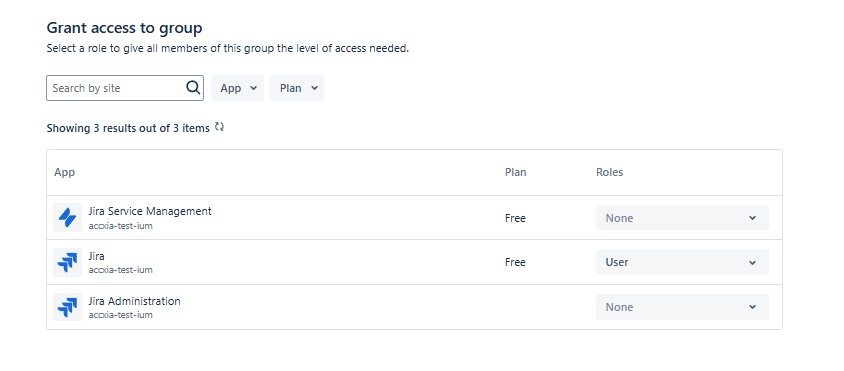
(this group should not have any further product access, only to Jira as user)
-
Install IUM from the Marketplace
-
Be instruct users to install the IUM browser extension
-
go to IUM Browser Extension for more informations
The IUM extension is required for the proper functioning of IUM4Cloud Jira.
-
Now go to: Determination of user peak or IUM Configuration