
The IUM report evaluates various information daily. Instead of reading information from existing log files, it actively counts it.
To do this, the IUM report must be activated.
The chart displays the collected information for the selected month. You can switch between Jira and JSM.
After 12 months, the data from the oldest month will be deleted. If the data is to be stored for a longer period, the respective monthly view can be saved as a PDF file.

The collected data remains on your instance and can be completely deleted directly via IUM.
In the following explanation, JSM is selected. The same applies to Jira.
User/Licenses tab
-
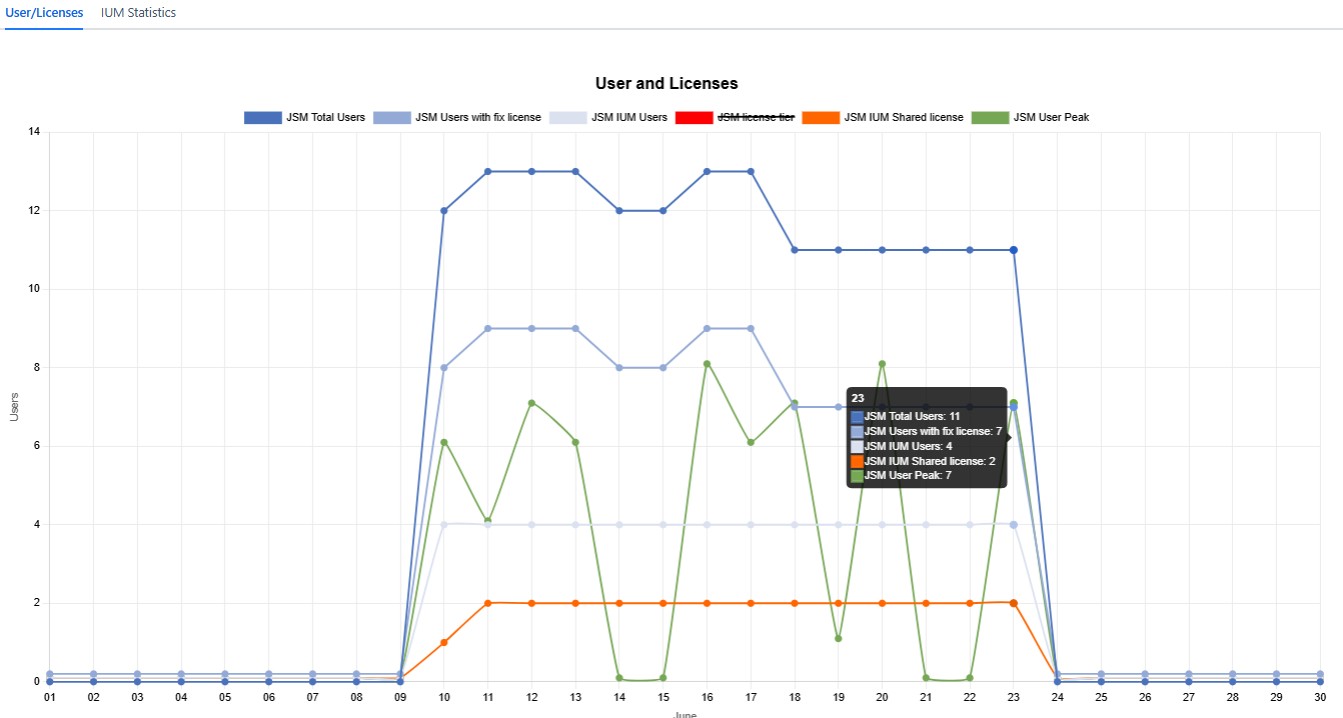
Individual data lines can be hidden by clicking on them (example: JSM license tier)
-
The update occurs with a short delay, about 5 minutes.
-
By hovering over the respective day, the values are displayed in a popup.
-
For the following values, the highest daily value is always displayed (Example: IUM JSM shared license until 1 p.m. at 2, then the value is increased to 5 -> display for this day: 5)
-
Total Users
All users of the instance with a fixed JSM license and all users from the JSM ium user group(s) -
IUM Users
All users from the JSM ium user group(s) -
Users with fix licenses
All users with a fixed JSM license except users of the JSM IUM Access group(s) -
JSM license tier
Current JSM license -
JSM IUM Shared license
All IUM assigned shared licenses (only JSM) -
User Peak
Number of different users within one hour (users with fixed license and IUM users)
The highest number within one hour of the respective day is displayed
-
IUM Statistic tab
-
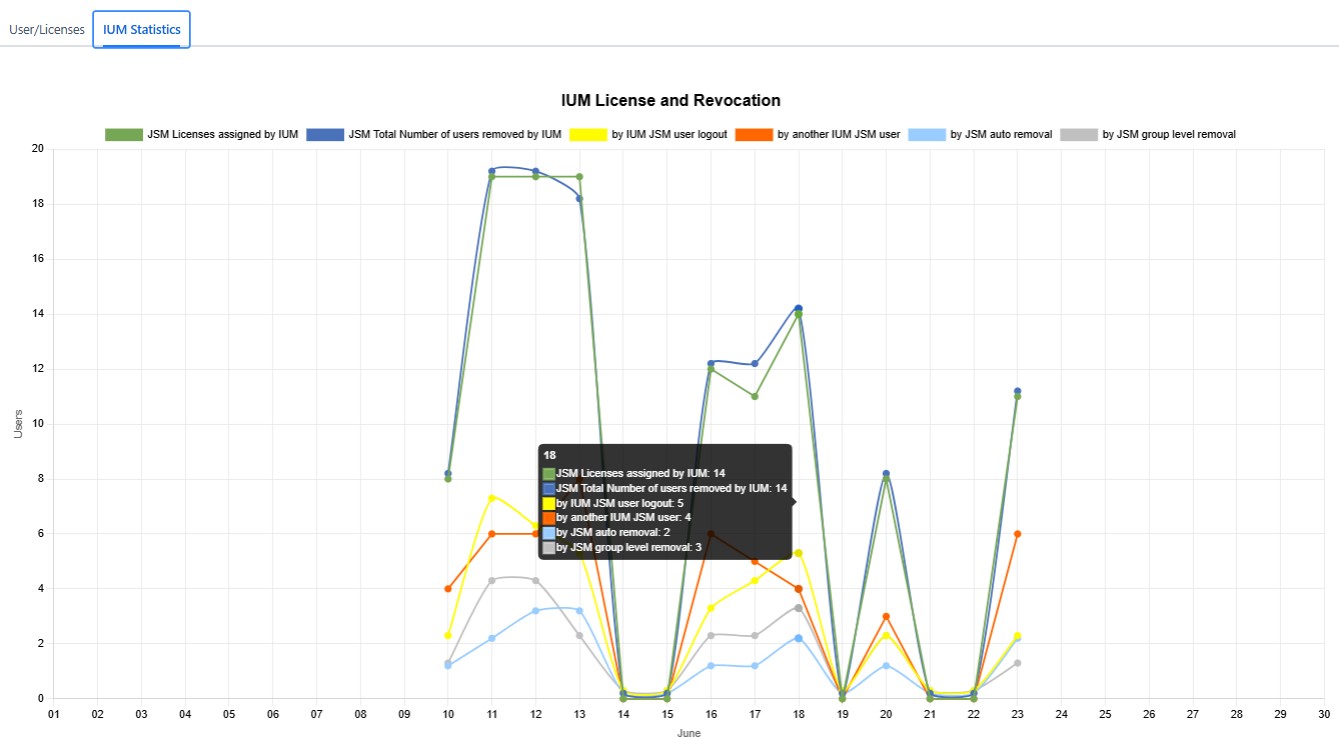
Individual data lines can be hidden by clicking on them
-
The update occurs with a short delay, about 5 minutes.
-
By hovering over the respective day, the values are displayed in a popup.
-
The values are counted within one day (server time)
-
JSM Licenses assigned by IUM
Number of assigned JSM licenses per day. Individual JSM IUM users can be counted multiple times within a day. -
Total Number of JSM users removed by IUM
Number of JSM IUM users who lost their license due to IUM during the day. Individual JSM users can be counted multiple times within a day.
Split by:-
JSM IUM user logout
The JSM user logs out of JSM normally. -
Another JSM IUM user
An JSM IUM user loses his license because he is inactive and his license is needed by IUM for another JSM user. -
Auto removal
Number of JSM IUM users removed by auto removal due to inactivity.
(Under certain circumstances, the daily value of removed JSM users may exceed the daily value of granted JSM licenses. Depending on the setup, IUM will not remove yesterday's JSM users from the access group until today when automatic removal is performed at 1:00 AM server time.) -
Group level removal
Number of JSM IUM users who lost their license due to group level removal.
-
-