
For each of the optional settings, there is the possibility to define exception roles or groups that are not affected.
The permission to see the worklogs (instead of the hidden entry) is set in the worklog settings.
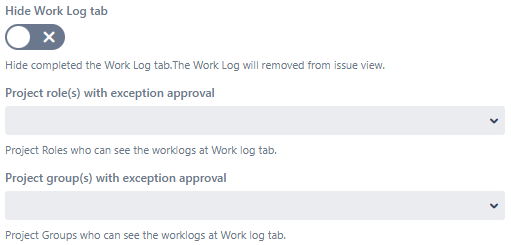
Hide Work Log tab
-
Hide the entire Work Log tab. (will be removed from the Issue View)
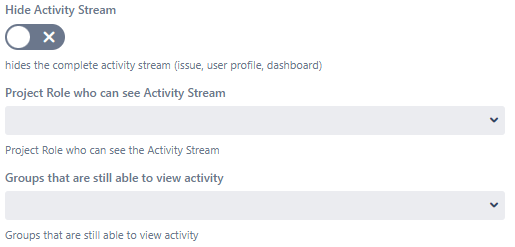
Hide Activity Stream
-
Hides the entire activity stream. (issue, user profile, dashboard)
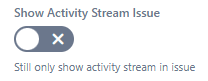
Show Activity Stream issue
-
If "Hide activity stream" is enabled, this will display the activity stream for all users in the issue view.
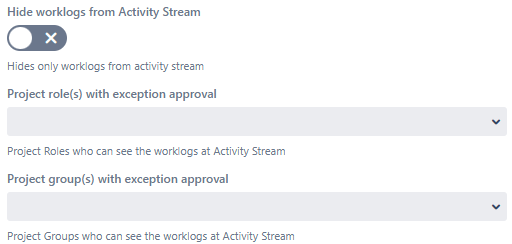
Hide worklogs from Activity Stream
-
Hides worklogs from Activity Stream (own worklogs are displayed)
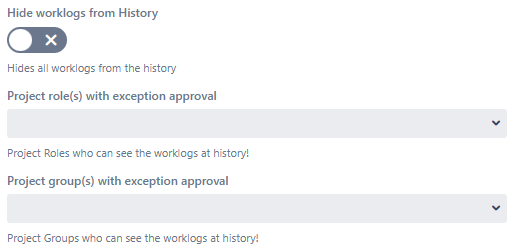
Hide worklogs from History
-
Hides worklogs from the history (own worklogs are displayed)
Export button
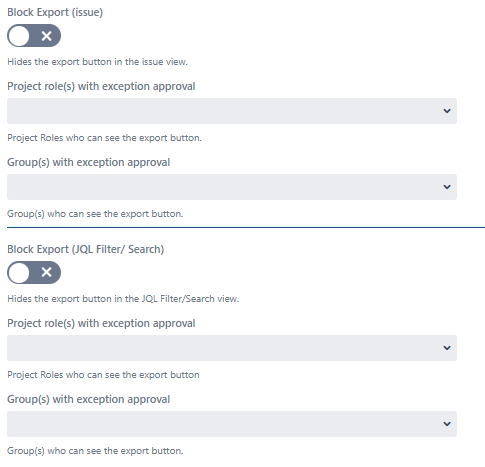
Block Export (Issue)
-
Hides the export button on the issue view. (Without worklog viewer or estimates permission, exports are prevented even when turned off.)
Block Export (JQL Filter/Search)
-
Hides the export button for JQL Filter / Search. (Without worklog viewer or estimates permission, exports are prevented even when turned off.)
Forbidden Screen
-
As soon as an export contains worklogs or estimate information and the user does not have worklog viewer permission (or is a project lead), a forbidden screen is displayed.
If no worklogs or estimates are included, the export takes place as normal.