
General
-
The "Select Month" option displays the analysis for the selected month.
-
The data is automatically deleted after one year. For future reference, the complete month can be saved using the "Print" option.
-
This data is collected throughout the entire day.
-
This data is only captured correctly with the extension installed.
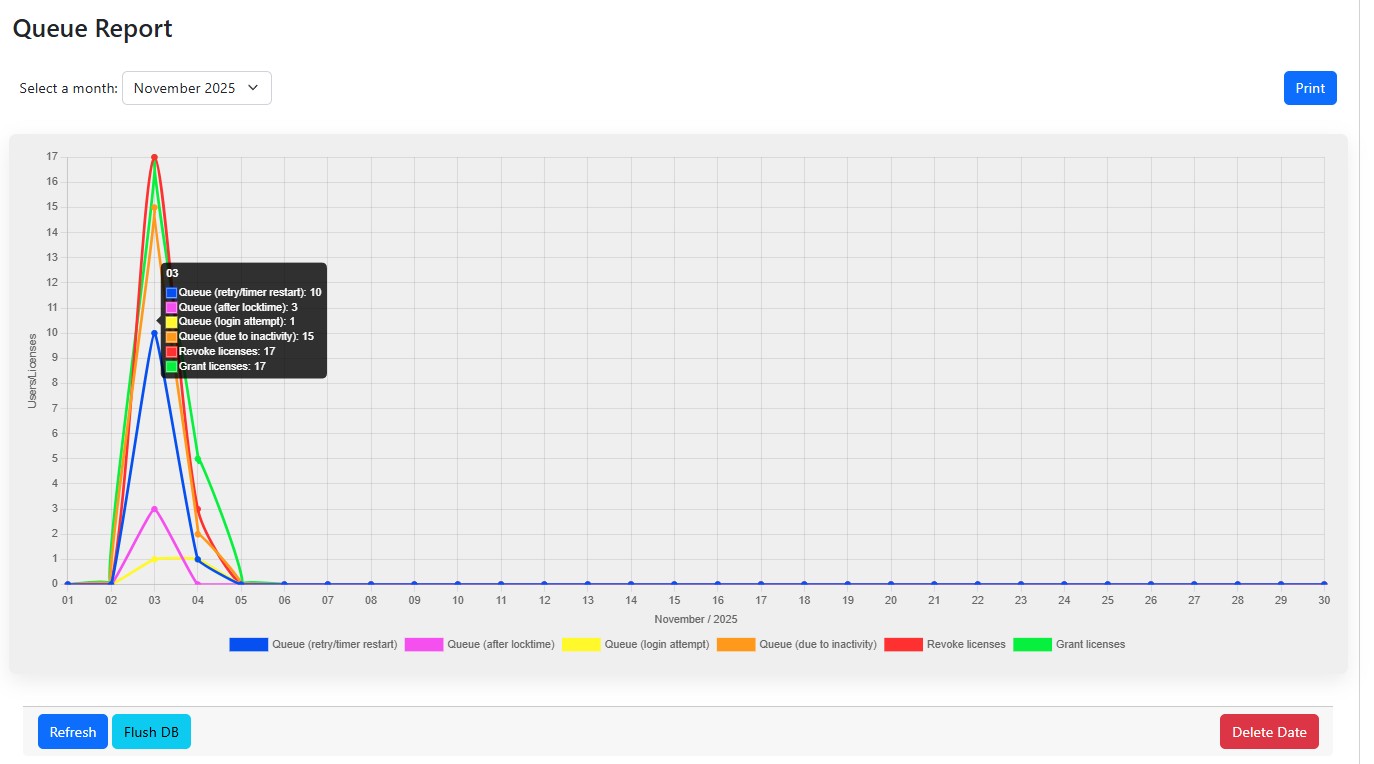
Queue (retry/timer restart)
-
Here, every click on retry (except during locktime) or timer restart while the queue is displayed is counted.
Queue (after locktime)
-
This counts when a user tries to log back into Jira from the disconnected queue (after removal due to inactivity) using the retry button, and no free license is available for ium.
Queue (login attempt)
-
If no free license is available when a user attempts to log in, this will be counted.
Queue (due to inactivity)
-
Every user who is shown the queue due to inactivity (disconnected queue - the user was removed from the ium license group) is counted here.
Revoke licenses
-
Number of users whose license was revoked by ium.
Grant licenses
-
Number of users who have been granted a license by ium.