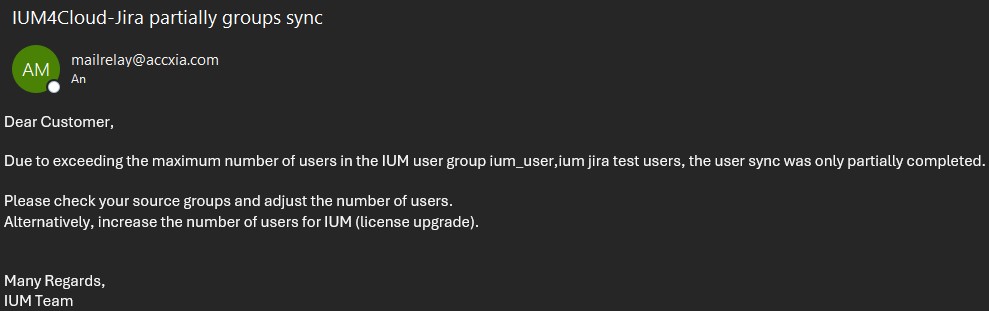
IUM only copies users from the specified IUM user group (local Jira group, local JSM group) to the access group (local Jira group. local JSM group), granting these users access to Jira / JSM.
The easiest way to copy users to the IUM user group is via IUM User Sync.
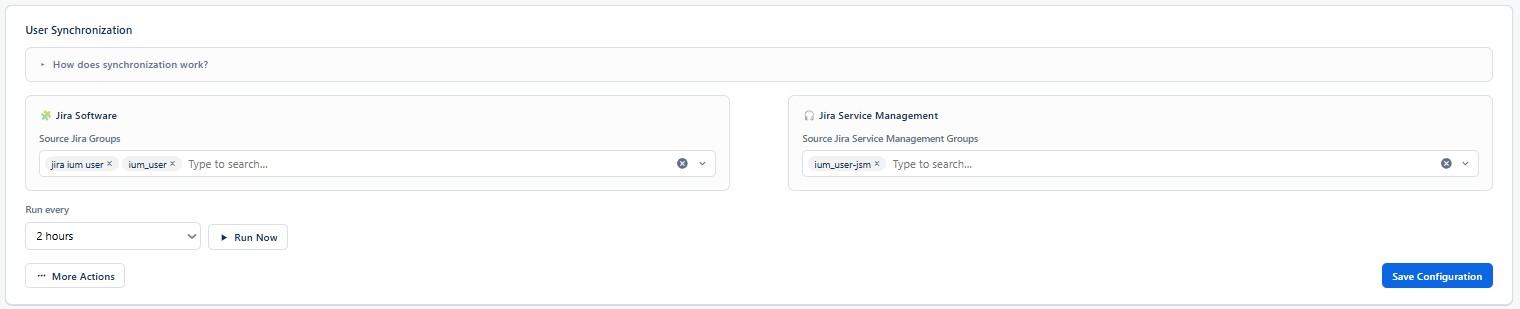
Under "Source," you should specify groups containing, for example, users who have been synced to the Atlassian cloud or are already used for Jira or JSM access.
For existing groups, Jira / JSM product access should be removed. If project permissions are managed via groups, this access should remain.
Jira / JSM product access is then managed via the IUM group.
The following must be observed
-
If the source groups for the project permissions are to be retained, the product access of the respective source group must be removed before copying the users.
-
The IUM user group must be defined in the global settings of IUM.
-
Users who receive Jira / JSM access through another group or suspended users will not be synced into the IUM user group.
-
IUM does not allow more users in the IUM user group than the IUM license permits. In the free version, this is 5 test users for each Jira/JSM.
Any excess users will be removed from the group!The existing normal user group should "not" be selected here.
Existing IUM users

-
Displays the number of existing IUM users and the maximum allowed number of IUM users in the IUM user group for Jira and JSM.
User Management
-
Select source group(s) for Jira / JSM
-
Set “Run every”
-
Save Configuration
-
The configured sync will be executed after the set interval.
-
Alternatively, the sync can also be performed manually without a set interval.
-
-
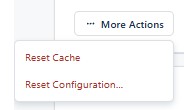
… More Actions
-
Reset Configuration
-
Removes the set job
-
Removes existing users from both IUM groups
-
Already selected source groups must be removed manually using the x.
-
-
Reset Cache
-
This should be performed after every change to groups or settings during user sync, so that the changes are applied directly.
-
Job Execution Log
-
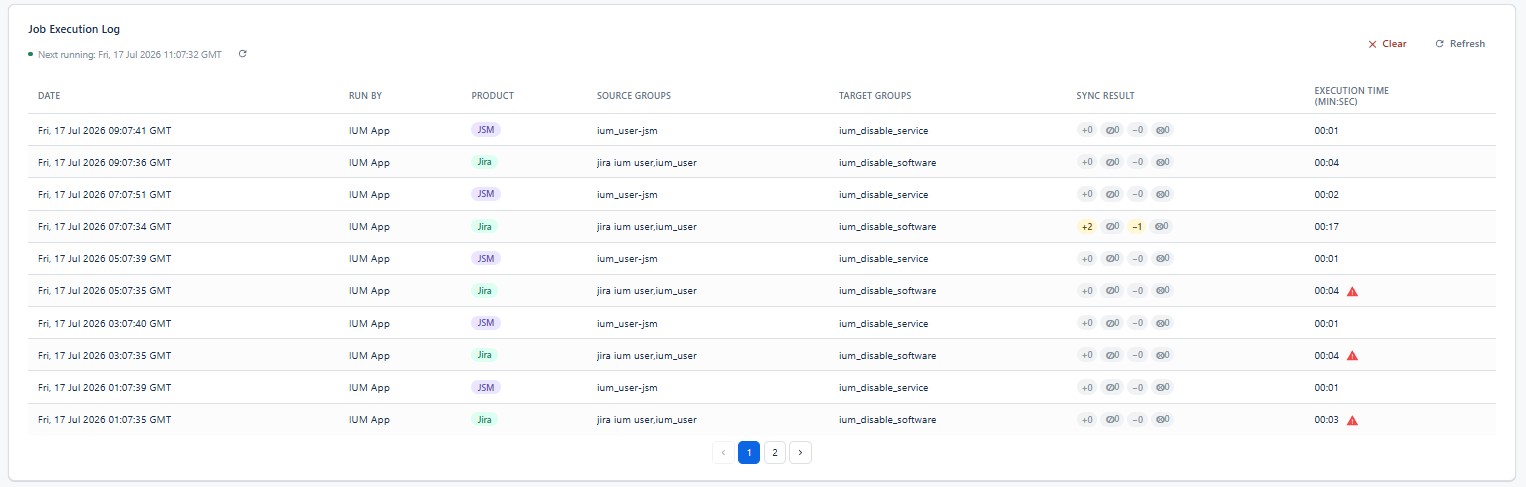
If changes have been made during a sync run, this will be displayed in the job execution log.
-
If users from the ium user group have been suspended in the meantime, or have received a Jira/JSM license via another group, they will be automatically removed from the ium user group during the next usersync run.
-
Sync Result
(from left to right)-
User added
Number of users added to the ium user group during sync -
User filtered out during sync
Number of users who have a fixed Jira license or are suspended and therefore were not synced. -
User removed
Number of users who have been removed from the source group since the last sync and have now been removed from the ium user group. -
User removed by filter
Number of users who were removed from the ium user group because they were suspended in the meantime or obtained a Jira license through another group.
-
Only partial synchronization
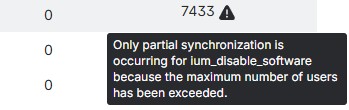
This message appears if the sync was not completed because this would have resulted in exceeding the allowed number of IUM users.
If an email address is provided for notifications, the recipient will receive an email daily in case of problems.